P25 Phase 1
Clear audio even from simulcast sites, the hardest kind to decode. C4FM and CQPSK, with several receivers per channel keeping the best signal.
Version 0.1.1 · free and open source
Plug in an RTL-SDR dongle and Trunk Recorder Pro records every call on the P25, SmartNet, DMR and conventional radio systems around you. Each call is saved with its talkgroup and who was talking, ready to play back, search or share. It's one small download for macOS, Windows and Linux, or you can run it in your browser.
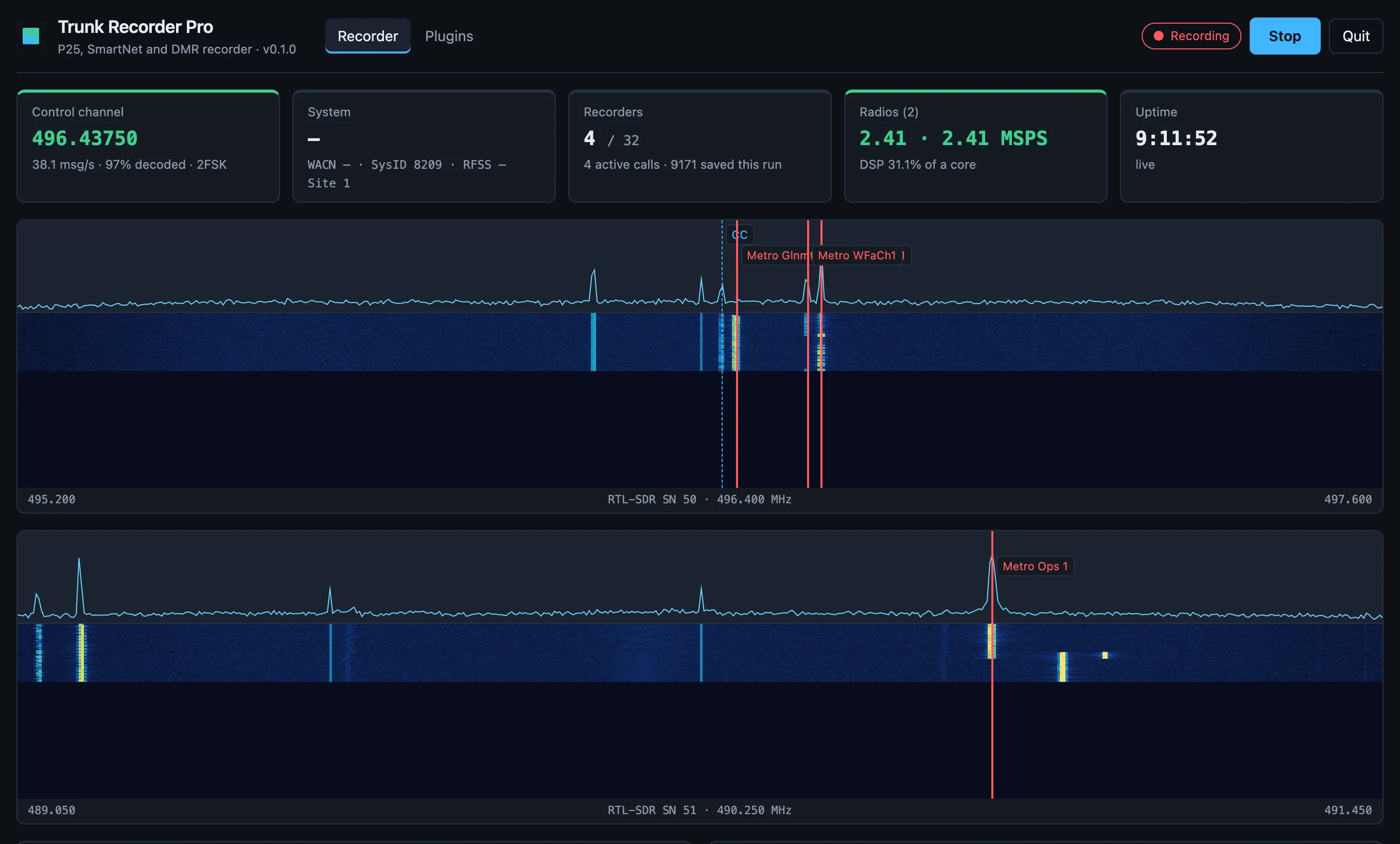
What it records
Record a county P25 system, a transit SmartNet system and a few business channels at once, from the same dongles.
Clear audio even from simulcast sites, the hardest kind to decode. C4FM and CQPSK, with several receivers per channel keeping the best signal.
Both voice slots of newer TDMA systems. There are no keys or settings to look up, because the recorder learns what it needs from the air.
Motorola systems, including VHF/UHF ones with custom band plans, which the recorder can work out for you. Digital and analog calls are both recorded.
Business and utility systems: Capacity Plus, Capacity Max, Connect Plus and Tier III, plus single repeaters and radio-to-radio talk.
Single frequencies such as fire dispatch or a local repeater, analog or digital. On a shared frequency, record just the agency you want by its tone or code.
See who is talking at a glance. Many radios send a name like “Engine 12” with each call, and it's shown in place of the unit number.
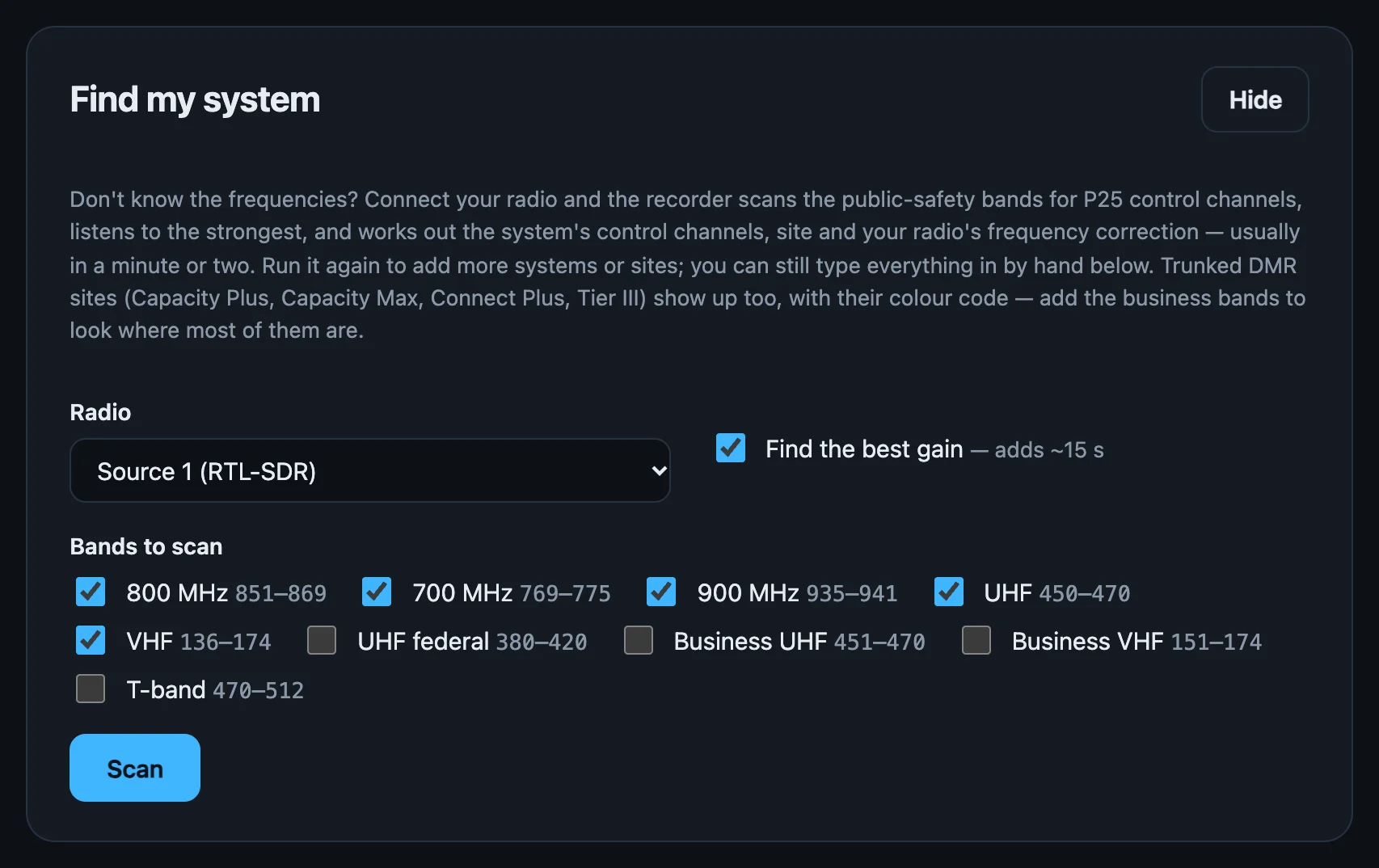
Find my system
Press Scan and the recorder searches the bands for systems near you, then sets them up for you. You don't need a frequency list to get started.
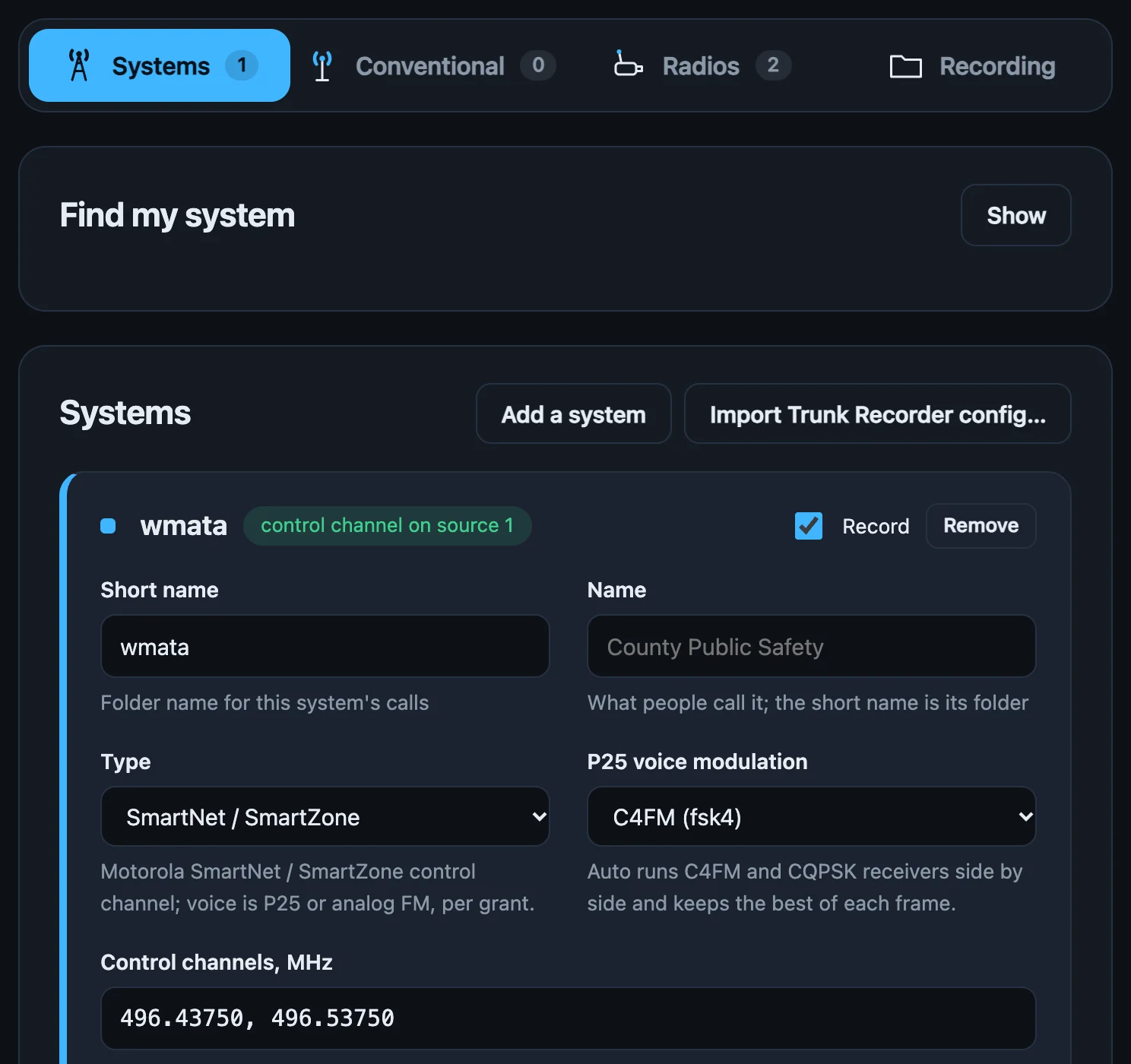
Several systems and sites
Follow several systems, or several sites of a large network, with the same dongles. Each one's calls are filed separately, and the dongles are shared between them automatically.
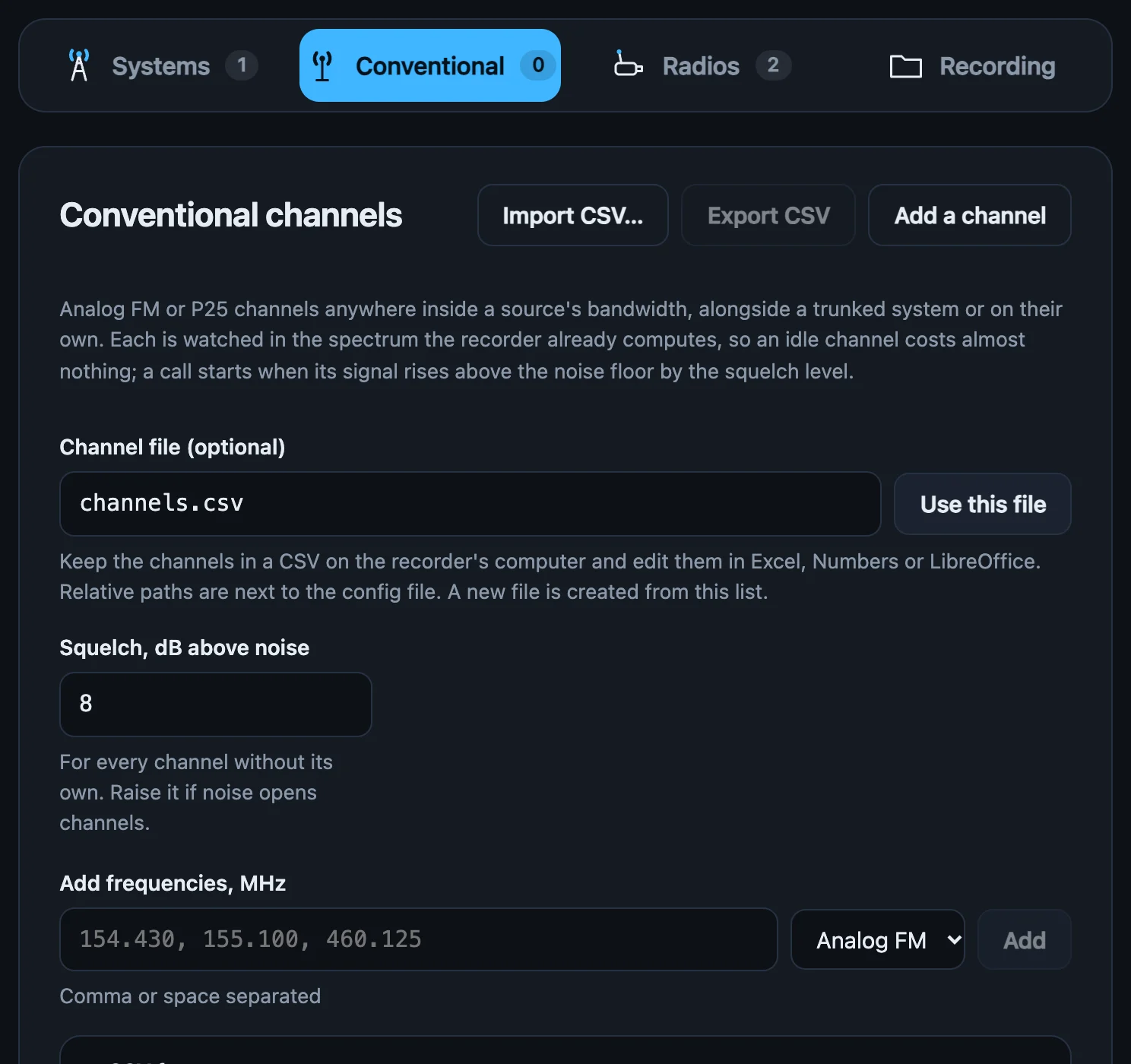
Conventional channels
An idle channel uses almost no CPU, so one dongle can watch every frequency in its range. Recording starts a moment before a transmission is detected, so the first words aren't cut off.
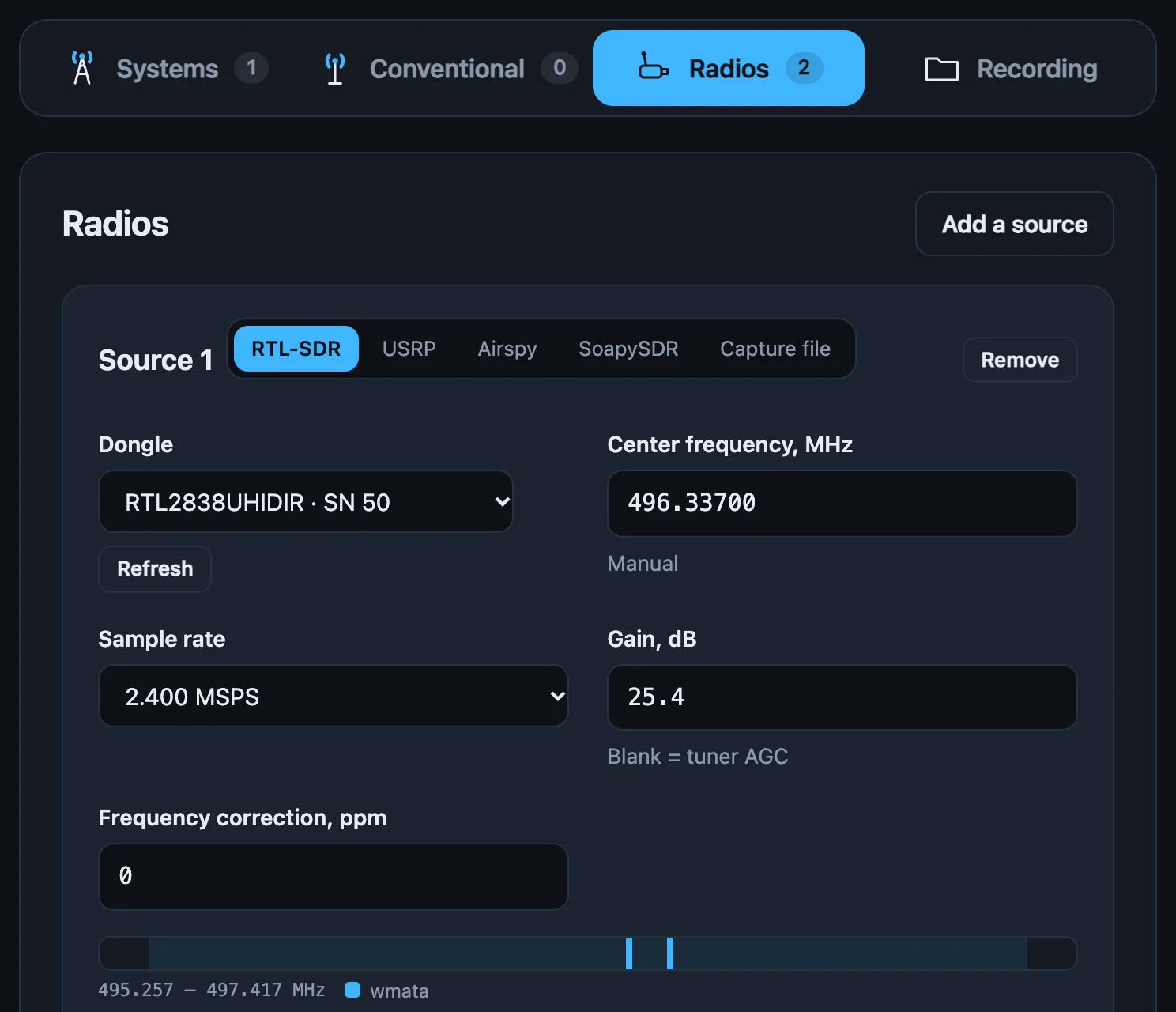
Radios
RTL-SDR dongles work without installing any drivers. Add more dongles to cover more spectrum. Each one shows which channels it covers, so any gaps are easy to spot.
How it works
Each radio's signal is processed once and shared by every channel. That keeps CPU use low and lets one dongle record many calls at once. The engine is written from scratch in Rust, without GNU Radio or OP25, and the same engine runs on the desktop and in the browser.
of P25 control messages decoded on a difficult simulcast site (OP25: 62 %). That means fewer missed calls and fewer late starts.
less CPU than Trunk Recorder on a Raspberry Pi 5: 5 % of one core while recording a call, against 20 %. Each extra call adds under 1 %.
of SmartNet control messages, where Trunk Recorder gets 40–60 %. You catch more calls from the same antenna.
less signal needed for clear P25 voice after receiver improvements (8 dB on DMR). Distant sites and indoor antennas give more usable audio.
Both recorders running live, one at a time, on a Raspberry Pi 5 with one RTL-SDR dongle on a P25 site. Each call costs Trunk Recorder about 8 % of a core and Trunk Recorder Pro under 1 %.
Measured on captures and live systems in the Washington, DC area using RTL-SDR and USRP B200 receivers, on a Raspberry Pi 5 and an Apple-silicon Mac. Your results will depend on your site, antenna and hardware. The methods and raw results are in the repository.
Trunk Recorder compatible
Recordings use Trunk Recorder's file layout and metadata, so the tools and sites you already use can read them. You can bring your existing configuration across in one step.
dcfd/2026/10/1/
  1201-1790865823_857237500.wav
  1201-1790865823_857237500.json
  1307-1790865861_770106250.1.wav   # Phase 2, slot 1
capmax/2026/10/1/
  201-1790865902_452275000.0.wav   # DMR, slot 0
conv/2026/10/1/
  154430-1790865940_154430000.wav # talkgroup = kHz
Install
Each download is a single program with the interface built in. When it runs, it opens its interface in your browser at
http://localhost:8080.
The current version is 0.1.1, released October 3, 2026 (release notes). Check downloads against SHA256SUMS.
macOS 11 or later · Apple silicon and Intel (one universal app)
trunk-pro-0.1.1-macos.dmgOpen it and drag Trunk Recorder Pro to Applications.
Releases aren't signed with an Apple Developer ID yet, so macOS blocks the first launch. Open the app once, then go to System Settings → Privacy & Security → Open Anyway.
The app has no Dock icon. It opens its interface in your browser. To get back to the interface, open the app again. To stop it, use Quit in the interface.
trunk-pro-0.1.1-macos-universal.tar.gz contains the same program without the app bundle:
curl -L -o trunk-pro-0.1.1-macos-universal.tar.gz https://trunkrecorder.pro/download/macos-cli
tar xzf trunk-pro-0.1.1-macos-universal.tar.gz
./trunk-proWindows 10 or 11 · 64-bit
trunk-pro-0.1.1-windows-x86_64.zipUnzip it anywhere and run trunk-pro.exe. SmartScreen may warn that the app isn't recognised. Choose More info → Run anyway.
Every RTL-SDR program on Windows needs this. Run Zadig, pick Bulk-In, Interface (Interface 0), and install WinUSB.
The console window is the app, and closing it quits. Recordings go to %USERPROFILE%\TrunkRecorderPro.
x86-64 or ARM64 · glibc 2.28 or newer (Debian 10, Ubuntu 20.04, RHEL 8 and later)
trunk-pro-0.1.1-linux-x86_64.tar.gz and installcurl -L -o trunk-pro-0.1.1-linux-x86_64.tar.gz https://trunkrecorder.pro/download/linux-x86_64
tar xzf trunk-pro-0.1.1-linux-x86_64.tar.gz
cd trunk-pro-0.1.1-linux-x86_64 && sudo ./install.sh
trunk-proinstall.sh puts trunk-pro in /usr/local/bin. It also adds a udev rule so your user can open RTL-SDRs, Airspys and USB USRPs (the kernel's DVB driver is detached automatically), and adds a menu entry. Unplug and replug the dongles afterwards.
mkdir -p ~/.config/systemd/user
cp trunk-pro.service ~/.config/systemd/user/
systemctl --user enable --now trunk-pro
sudo loginctl enable-linger "$USER" # keep running after logoutRaspberry Pi 4 or 5 · a 64-bit OS (Raspberry Pi OS bullseye or later)
trunk-pro-0.1.1-linux-aarch64.tar.gz and installcurl -L -o trunk-pro-0.1.1-linux-aarch64.tar.gz https://trunkrecorder.pro/download/linux-aarch64
tar xzf trunk-pro-0.1.1-linux-aarch64.tar.gz
cd trunk-pro-0.1.1-linux-aarch64 && sudo ./install.shThe interface has no login, so by default it only listens on the Pi itself. Reach it through an SSH tunnel:
ssh -L 8080:localhost:8080 pi@raspberrypi.local
trunk-pro serve --no-openThen open http://localhost:8080 on your computer. Add --bind 0.0.0.0 only on a network you trust.
Turn on Start recording when the app starts in the interface, then install the systemd service as shown on the Linux tab. Stopping the service saves any calls in progress before it exits.
Chrome or Edge on a desktop · an RTL-SDR dongle
This is the same engine compiled to WebAssembly and running in a Web Worker. Nothing is installed, and no audio or data leaves your computer.
Press Connect… on a source and pick the dongle. The browser talks to it over WebUSB. On Windows the WinUSB driver is needed (see the Windows tab). On Linux, use the udev rule from the Linux package.
Calls are kept in the browser's private storage. Export to folder… copies them out in Trunk Recorder's layout.
You can host it yourself too: unzip trunk-pro-0.1.1-browser.zip onto any static web server that uses HTTPS (or localhost).
RTL-SDRs need nothing extra. For other radios, install the maker's driver. The recorder finds it at startup and offers it as a source type. trunk-pro devices shows which drivers it found.
| macOS | Debian / Ubuntu / Pi OS | Windows | |
|---|---|---|---|
| USRP | brew install uhd | sudo apt install libuhd-dev uhd-host | Ettus's UHD installer |
| Airspy | brew install airspy | sudo apt install libairspy0 | airspy.dll next to trunk-pro.exe |
Web App
The Web App runs the same engine in your browser. Plug in a dongle and you can be listening in a minute. It's a quick way to check reception or try a system before setting up the desktop app.
For several dongles or round-the-clock recording, use the desktop app, since a browser tab can be closed or put to sleep.
Open the Web AppOpen in Chrome or Edge to use the Web App
Status
This is the first release of a new engine. Here's the current state.
localhost or a network you trustFound a problem or have a system it doesn't handle? Open an issue on GitHub.